
WooCommerce address checker
Do you deliver to me? Answered.
Check My Address lets customers check that you deliver to their address, and what delivery costs, before they fill the cart. Google suggests the address, your WooCommerce shipping zones give the answer.
New in 1.6: a block you style yourself
Made & supported in Sweden
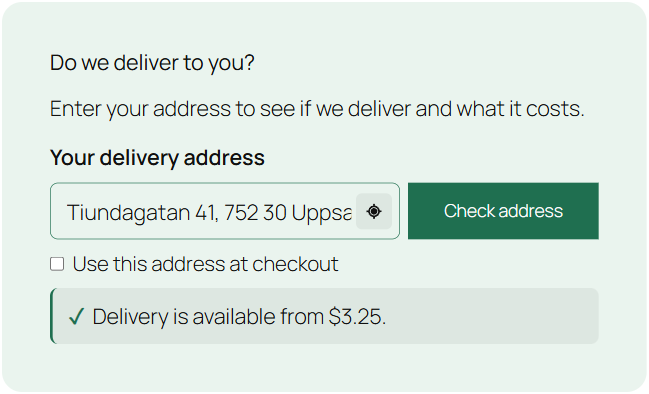
Live demo
Try it here.
Type an address and pick a suggestion, or use your location. This demo store answers from its own shipping zones.
Nobody likes a surprise at checkout.
A customer fills the cart, types the address and finds out you don’t deliver there. Answer the question on the first page instead, before anyone has wasted their time.
Without an address check
- Carts abandoned at the last step
- “Do you deliver to …?” calls and emails
- Orders you have to cancel
With Check My Address
- A clear yes or no, with the price
- Customers who know before they shop
- The checked address filled in at checkout
Features
Everything between a typed address and a happy customer.
Version 1.6 adds a block for the block editor and Google’s current APIs.
Block
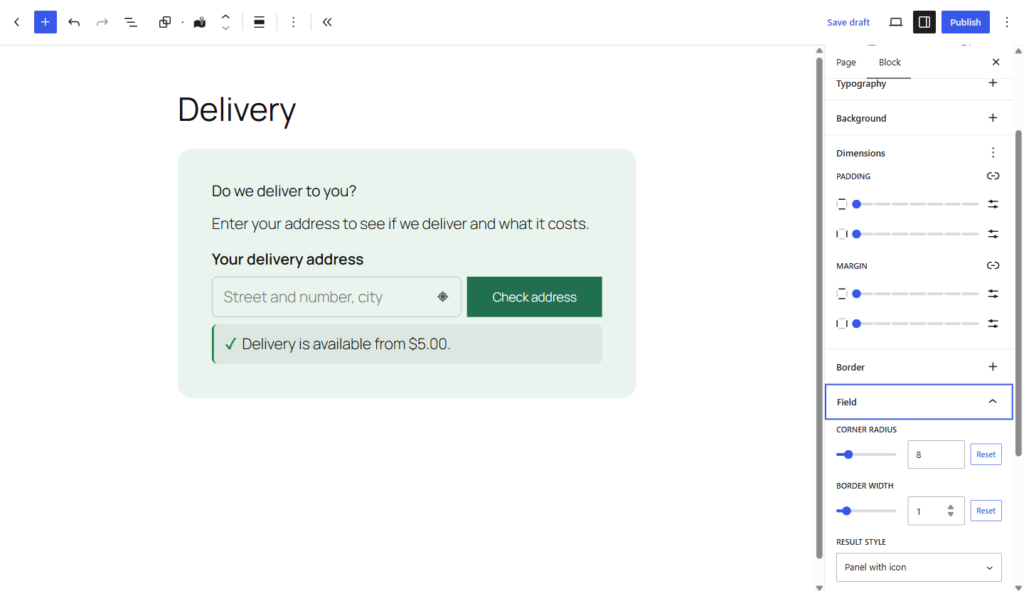
A block you style yourself
Add the Check My Address block anywhere in the block editor. Your texts, layout, colors, field shape and result style, set per block.
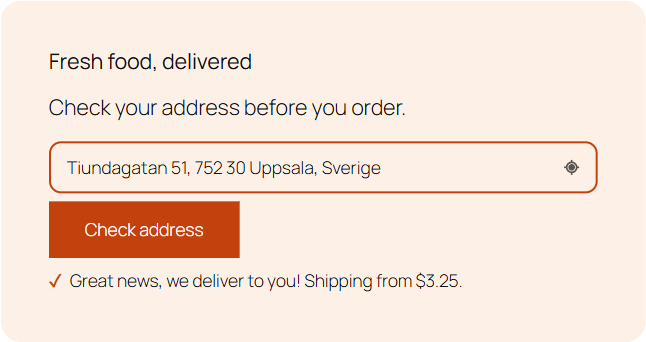
Suggest
Address suggestions
Google suggests addresses as the customer types, nearby addresses first if you like. Limit the types to streets, buildings or businesses.
Locate
Use my location
An icon button inside the field finds the customer’s address from their position, and checks it right away.
Map
Pick the spot on a map
When an address is too vague to deliver to, a map opens and the customer marks the exact delivery location.
Price
The price in the answer
Show the lowest delivery price, calculated with the products in the cart, or with one product when the cart is empty.
Checkout
Filled in at checkout
After a successful check the address becomes the shipping address at checkout, written the way the country writes it. Or let the customer choose.
Limits
A limit on checks
Set how many checks a visitor can make in ten minutes. Less misuse, predictable Google costs.
Zones
Drawn zones, exact answers
With Shipping Zones by Drawing, the check asks about the exact location, so the answer matches what checkout will say.
Shortcode
Prefer shortcodes?
[checkmyaddress] still works, on any page or builder, and both can live on the same site.
Your look
Make it look like it belongs.
The block follows your theme’s fonts. Everything else is yours to set in the sidebar.
- Button next to the field, or below it
- Corner radius and border of the field
- Button colors and result colors
- Result as a panel, a line of text or plain text
- Answer under the form, or in a popup with an intro text
{price}in your own messages
Setup
Up and running in three steps.
Install the plugin
Download the zip from My account on arosoft.se, upload it under Plugins → Add New and activate it.
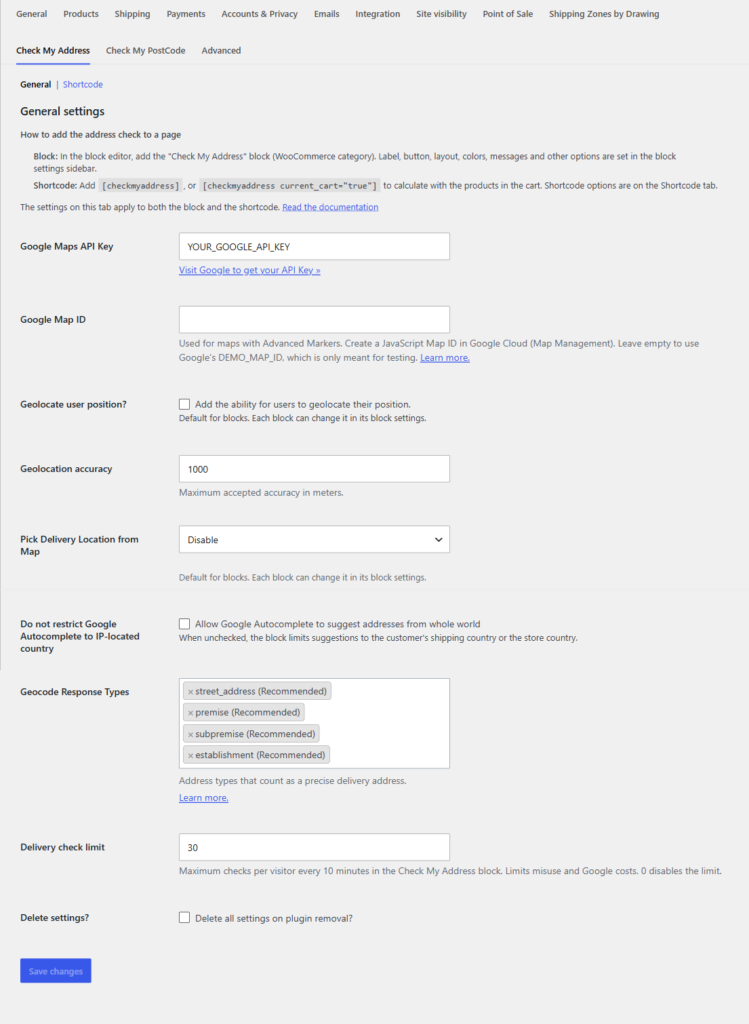
Add your Google key
Turn on the Maps JavaScript API, Places API (New) and Geocoding API, and paste the key and a map ID under WooCommerce → Settings → Check My Address.
Place the check
Add the Check My Address block to your start page, a landing page or the cart, and style it in the sidebar.
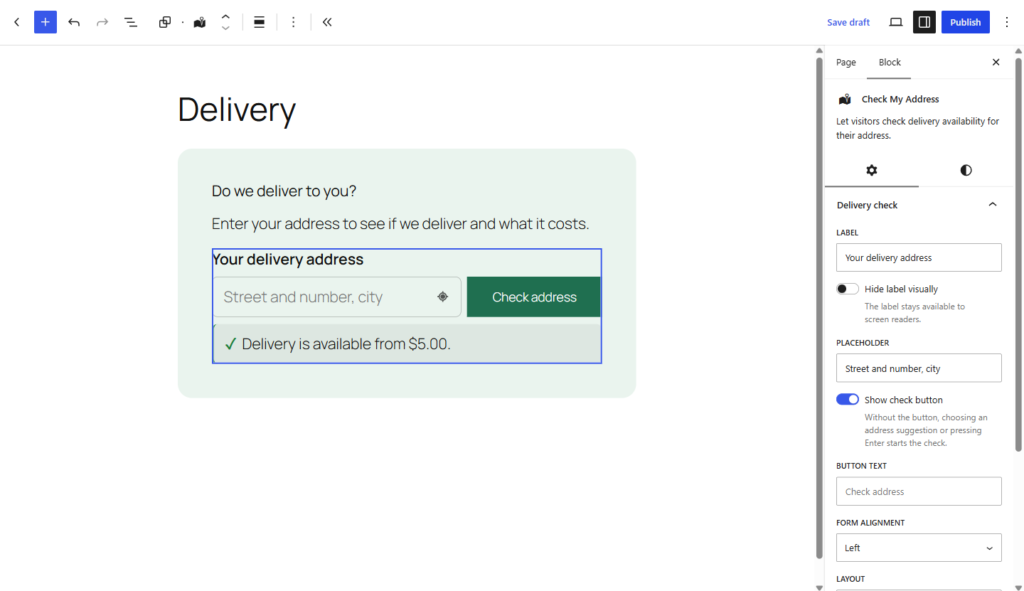
Every setting, the Google APIs and the shortcode options are in the documentation.
Better together
Draw where you deliver. Let customers check it.
Shipping Zones by Drawing
Draw your delivery areas on a map and price them by zone or by distance. Check My Address then answers for the exact spot.
The bundle
Shipping Zones by Drawing Premium and Check My Address together, for less than buying both.
Only postcodes?
If your delivery area follows postcodes, Check My PostCode is the lighter sibling, and plain checks need no Google.
Pricing
One plugin. One price a year.
Version 1.6
Check My Address
$29 / year
1 site licence
- The block and the shortcode
- Every feature
- Support and updates for one year
- Billed annually
Save $13
With Shipping Zones by Drawing
$55 / year
Both plugins, 1 site
- Shipping Zones by Drawing Premium
- Check My Address
- Support and updates for one year
- Billed annually
Check My PostCode
$29 / year
1 site licence
- Postcode check, no Google needed
- The block and the shortcode
- Support and updates for one year
- Billed annually
Licences for 5 sites ($79) and 25 sites ($149) are on arosoft.se.
FAQ
Good to know.
Do I need a Google Maps API key?
Yes, with a Google billing account. The block uses the Maps JavaScript API, Places API (New) and Geocoding API. The limit on checks per visitor keeps the costs predictable.
I used Check My Address before 1.6. Do I have to change my key?
No. Existing sites keep the older Google APIs for the shortcode until you switch on the Shortcode tab. The block always uses the current APIs, and Google projects created after March 2025 can only use those.
Does it work with drawn delivery zones?
Yes, together with Shipping Zones by Drawing, which then decides availability and price for the exact location. The bundle costs less than buying both.
Address or postcode check?
If your zones follow postcodes, Check My PostCode is simpler. If you deliver to drawn areas or by distance, you want the full address.
Does a check change the customer’s checkout?
Only if you want it to. A check never changes the delivery location already saved for checkout, and saving the checked address is a setting, or the customer’s own choice.
What happens after the first year?
The plugin keeps working, for as long as you like. Updates and support stop until you renew for another year.
Answer the question before they ask it.
Check My Address from $29 a year, or with Shipping Zones by Drawing from $55.
Version 1.6.0 · November 4, 2026 · What's new